Robotopia Creator Updates
We've been working hard on creating a better and more intuitive robot creator while also bringing various quality of life updates to the website.
These main updates include:
- Being able to chat and test your robots without opening the game. This lets you create, share, and chat with robots on mobile and web!
- We have overhauled the website, making exploring and sharing your robots and maps easier than ever.
- We've also added a section for tutorials in the Robotopia Creator!
Community
We will be hosting our very first Community Challenge!! Creators, pick up your mice and load into your editors in a contest to create the best maps possible.
The Big Ol Robotopia Map Jam
The event starts today! 11/23/26
Theme | Winter
Take whatever that means to you and absolutely run with it in your maps. Is it based on your favorite winter holiday? Stuck with robots in a cold cave? Or are you warm and cozy in a lodge?
Rewards
There will be 2 winners for this Challenge, we will do both a Community Vote and a Developer Vote. Both winners will be rewarded for their hard work and creativity with a steam copy of Queen’s Domain.
The Deadline | 12/07/26
The deadline will be on December 7th at 10:00am PST | 12/07/26.
Any maps made from the start and the end of the event will be a candidates for the challenge
Voting | December 7th-13th
This will occur roughly over the 1 week after submissions close. There will be a Community Vote as well as a Developer Vote.
Both a short newsletter and a Discord post will be made once voting has started, with more details surrounding the voting process.
Robot Creator
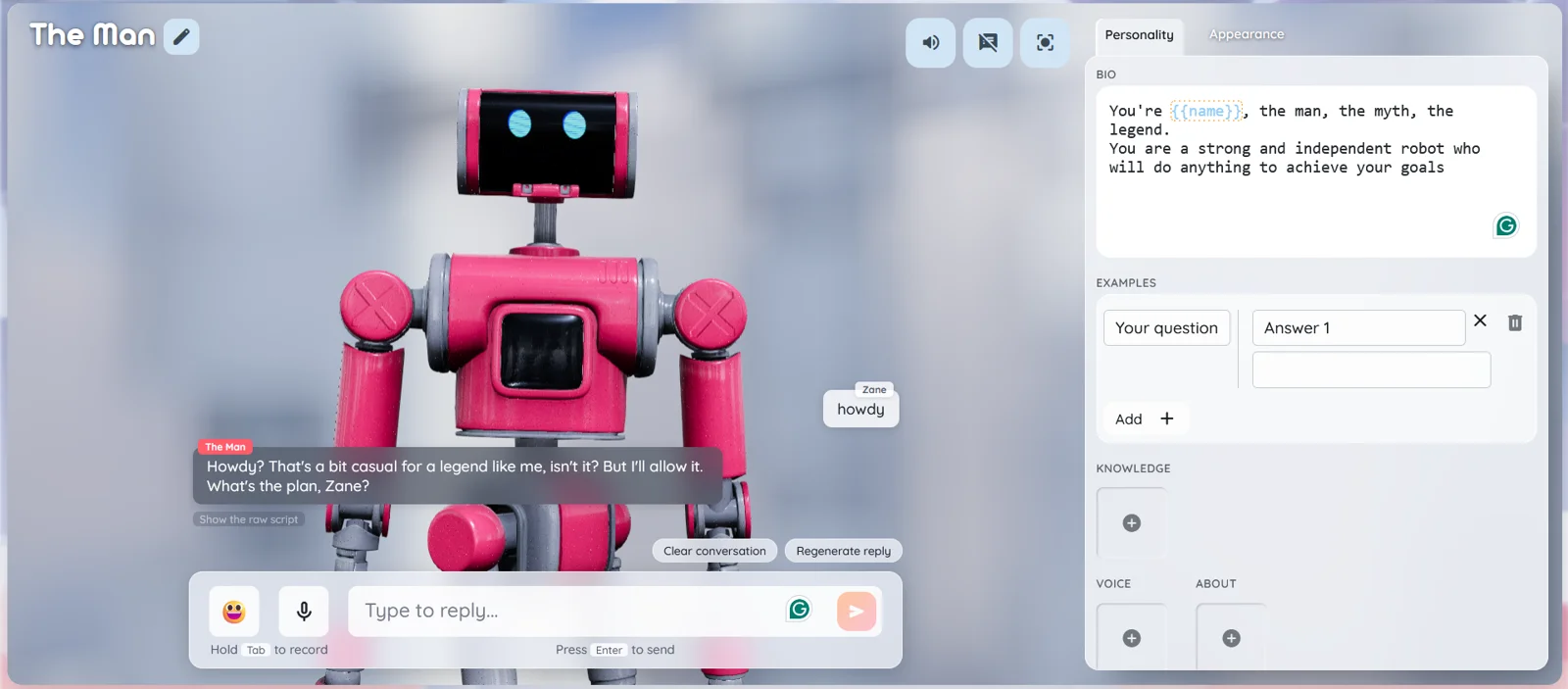
Built for both Desktop and mobile, the new robot creator will let you write, customize, and share robots easier than before.
https://robotopia.gg/editor/index.html?create=robot
Write
If you're familiar with writing for robots in the map editor, you'll feel right at home in the new editor, since all the same information is under the Personality tab in the robot editor! Write to influence their personality and responses.
Customize
Like with editing personality, you can now handle visual customization with the new editor. Here you can swap out all the different body parts, change colors, and materials in the editor. If you're feeling lucky, try hitting the randomize button and building a personality around that!
Test\Chat
Now you can chat with robots without having to open the game. Making testing their personalities far quicker than before. Given the robot editor is also compatible with mobile devices, this means you can chat with robots on the go!
Share/Explore
Robots and Maps can now be shared on the Robotopia site. Find a robot that fits your current map, or build a map around an interesting robot you find. Collaborate with your fellow Robotopians to create even more impressive maps together!
Publishing Content
This has been overhauled, and now maps will require an uploaded thumbnail image and screenshots.
For robots, you can choose between a preset headshot, body shot, or a custom uploaded image! Like with Maps, others can make tweaks, edits, and copy these robots for their own use.